Tilesets
Tilesets are used to render the maps, you can import tilesets with the button if you want to load the PNG as-is. You can also convert any PNG into MD Engine format with the button, for information regarding this you can check the Image Converter section.
You can add tilesets to your game by including .png files in your project's assets/tilesets folder.
Tilesets can also be loaded independently and used to manipulate the overall scene. You can load a tileset with Load Tileset event.
Image Requirements
Tilesets follow the same image requirements as backgrounds. See Image Requirements for details.
UI Tilesets
There are special tilesets that can be used for the dialogue system.
They would be the dialogue frame and dialogue cursor.
They can be set with the Set Dialogue Cursor and Set Dialogue Frame or make them the default option in the Dialogue & Text settings.
Dialogue Frame
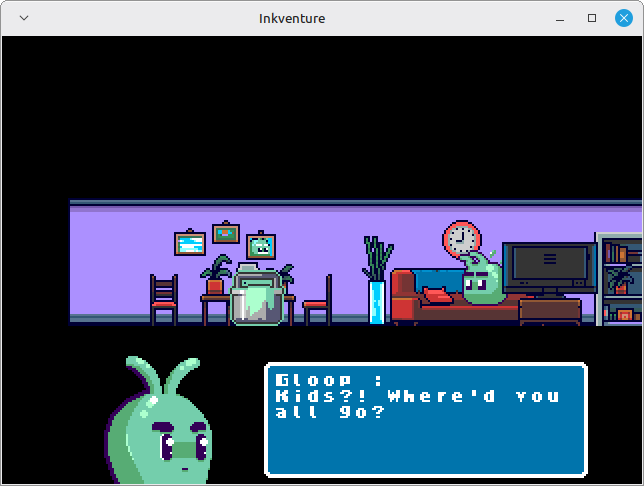
The Dialogue Frame should be an image of 24px x 24px, containing 3 tiles in both width and height.
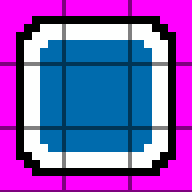
Here you can see how it looks once loaded in-game.
Dialogue Cursor
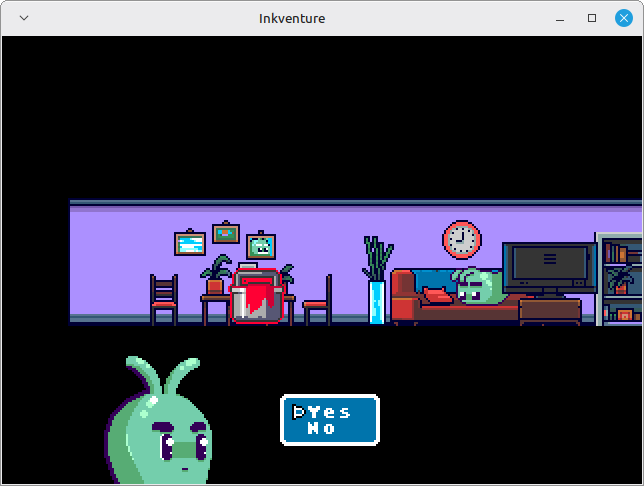
The Dialogue Cursor should be an image of 8px x 8px, containing one tile.

It will be used during dialogue choices. Here you can see how it looks once loaded in-game.